Builder
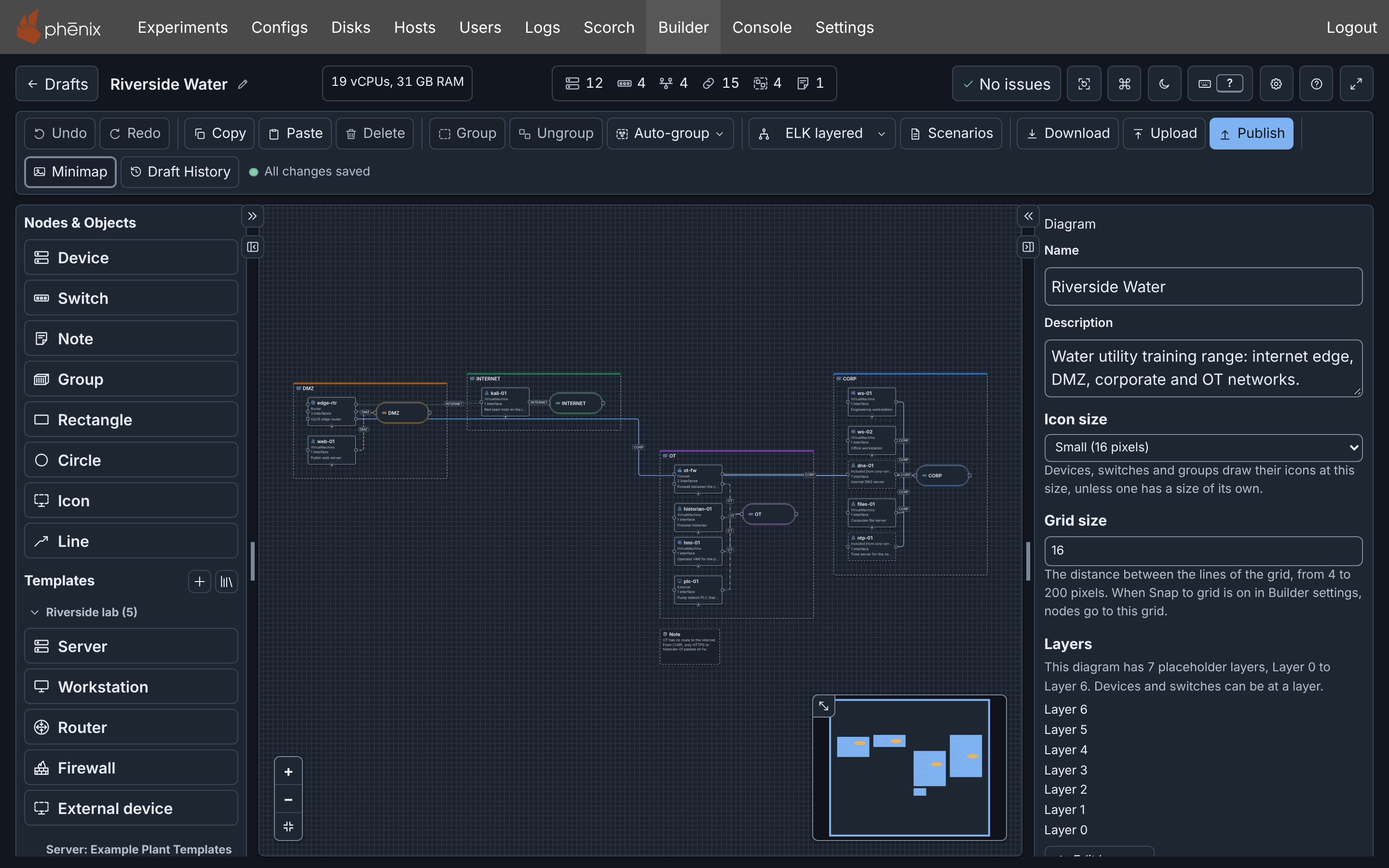
Builder is the graphical topology editor of the phēnix Web-UI. You draw devices, switches and connections on a canvas, and when you publish, Builder writes the Topology config for you.
What you can do
- Draw a diagram: devices, switches, connections, groups, notes and drawings, with your own colors and icons. A switch is one network.
- Import a stored Topology or Experiment config, or a config file, as a new draft. Upload a file that is already a diagram, for example from another phēnix server.
- Arrange the diagram with one of five automatic layouts, or by hand.
- Add devices from templates, kept in the diagram or in a library that all users share.
- Check the diagram while you work. Builder marks an interface with no VLAN, two devices with one hostname, and other issues before you publish.
- Publish the diagram as a Topology config, and optionally an Experiment config with one of its scenarios.
- Go back. Builder saves each change to the server, and Draft History restores an earlier snapshot.
- Download the diagram as a PNG or SVG picture, a draw.io file, a Gephi (GEXF) file, or a Topology YAML file.
- Work from the keyboard alone, with a command palette and shortcuts.
How Builder fits phēnix
A diagram lives in a draft on the phēnix server. Drafts are separate from configs: the Configs page does not list them, and a change to a draft writes no config. Only Publish writes a Topology or Experiment config from the draft. Until then, you can draw, check and change as much as you want.
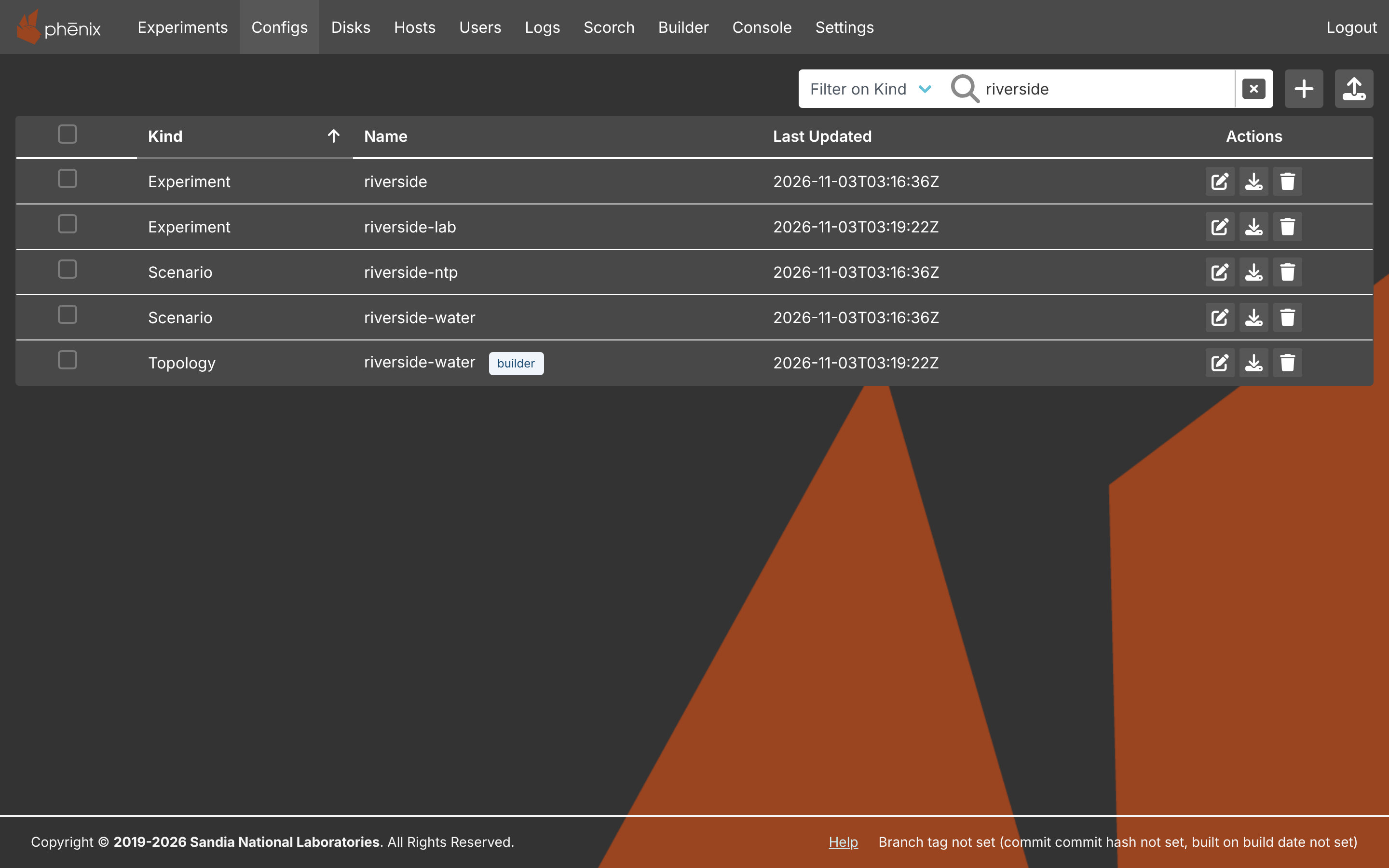
A published topology names its diagram. On the Configs page it has
the tag builder, and the tag opens the diagram in Builder again. An
experiment runs from the Topology config, not from the diagram.
The diagram holds more than the topology: positions, groups, notes, colors, icons and layers. Publishing leaves them out. A Builder JSON download keeps them.
Where to start
Click Builder in the navigation bar to open it.
- Do the Tutorial. It takes about 10 minutes and ends with a published topology and an experiment.
- Read the page of the feature that you need. The feature pages are Drafts, The Editor, Diagrams, Templates and Icons, Import, Upload and Download and Publishing.
- When something does not work, see Troubleshooting. Messages, codes, shortcuts and limits are in the Reference.
Each feature page ends with links into its details page, which holds every rule, limit and message of the feature.
Note
Earlier phēnix releases had a different graphical editor, also named Builder. Builder converts its diagrams when you import or upload them: see Legacy Builder.