VM Multi Action
Selecting VMs
From the Web-UI
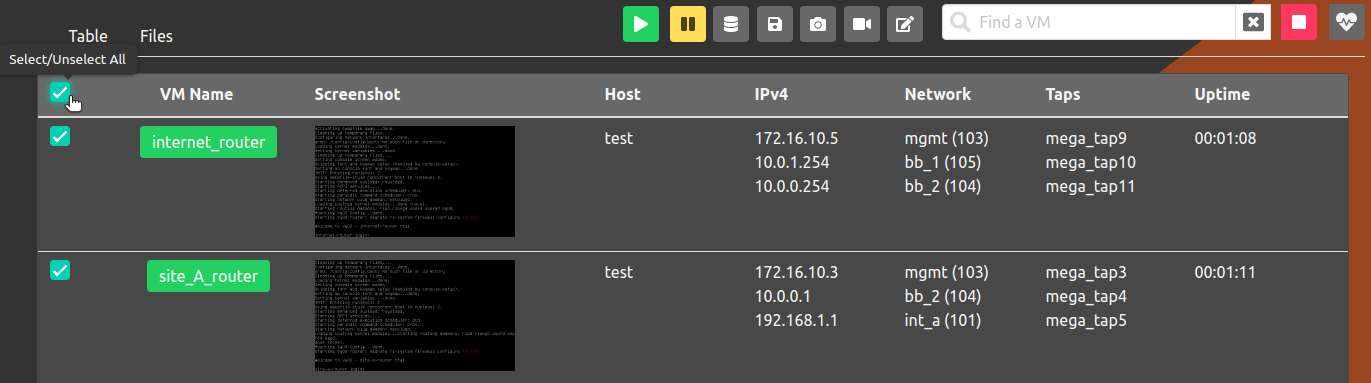
The experiment must be started; click on the experiment name to enter the
Running Experiment component. Within that component, click on the checkbox
adjacent to the VM Name column to select all the VMs. Alternatively,
the checkbox adjacent to a specific VM name can be used to select the
VM. Once one or more VMs are selected, a toolbar will appear to the
left of the search text box. The buttons on the toolbar are essentially
the same as described in VMs.
From the Command Line Binary
Several phenix vm commands support selecting target VMs by label with -l / --label, or all VMs using all.
When using labels, a VM name argument is not required.
Supported commands:
phenix vm infophenix vm pausephenix vm resumephenix vm restartphenix vm reset-diskphenix vm redeployphenix vm shutdownphenix vm kill
Behavior:
- Multiple labels are supported and use OR semantics (a VM is selected if any label matches).
- Labels support glob patterns (for example,
ot-*or*-server). - The special label
allselects every VM in the experiment. - Labels can be provided by repeating
-land/or as a comma-separated value.
Examples:
# Show VM info for all VMs with a label matching "ot-*"
phenix vm info <experiment name> --label ot-*

# Restart VMs that match either label
phenix vm restart <experiment name> -l control -l historian

# Pause VMs using comma-separated labels
phenix vm pause <experiment name> -l control,historian

# Shutdown all VMs in the experiment
phenix vm shutdown <experiment name> --label all
Searching for VMs
The search text box can be used to filter the list of VMs to only apply actions to the filtered list.
From the Web-UI
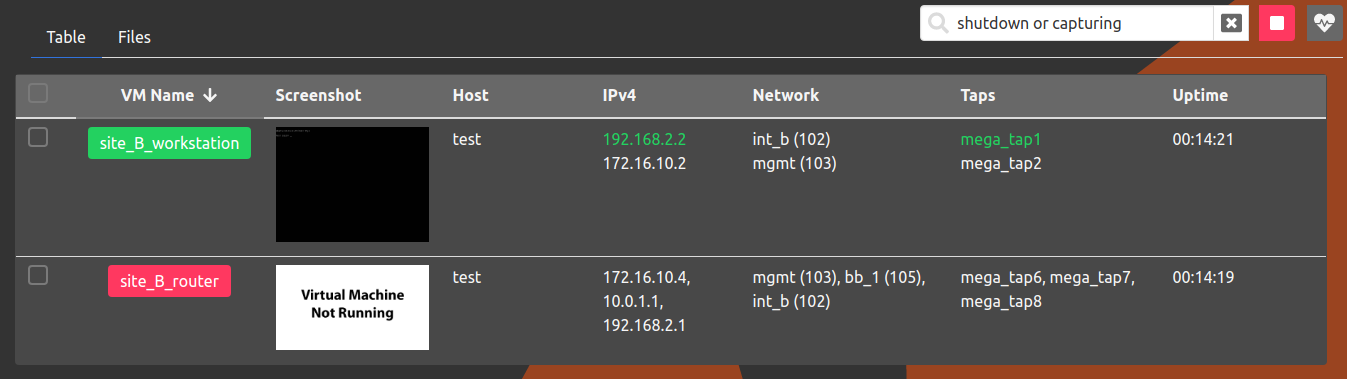
The experiment must be started; click on the experiment name to enter the Running Experiment component. Within that component, use the search textbox to find VMs by:
-
state - The keywords
running,shutdown,paused,capturingcan be used to find VMs in a specific state. Also, thenotkeyword can be used to negate search term(s) (i.e.not running) -
ipv4 address - VMs in a specific subnet can be found by entering the subnet (i.e
192.168.2.0/30) -
other fields (i.e. name, taps, tags) - All other fields will be searched for a keyword contained within the field
-
combine search terms - Search terms can be combined by using
or andkeywords. Parenthesis can also be used to group search terms. -
escape keywords - To find keywords that appear in a VM name use double quotes. For example, to find a VM named
free_running, type"running".
Example
Multiple search terms
From the Command Line Binary
While the interactive search bar is specific to the Web-UI, you can view and list all VMs in an experiment (or filter for specific VMs by name or label) using the phenix vm info command:
# List details for all VMs in an experiment
phenix vm info <experiment name>

# Display details for a specific VM in an experiment
phenix vm info <experiment name> <vm name>

# Filter VMs by label
phenix vm info <experiment name> --label <label>
Starting/Stopping Packet Captures
From the Web-UI
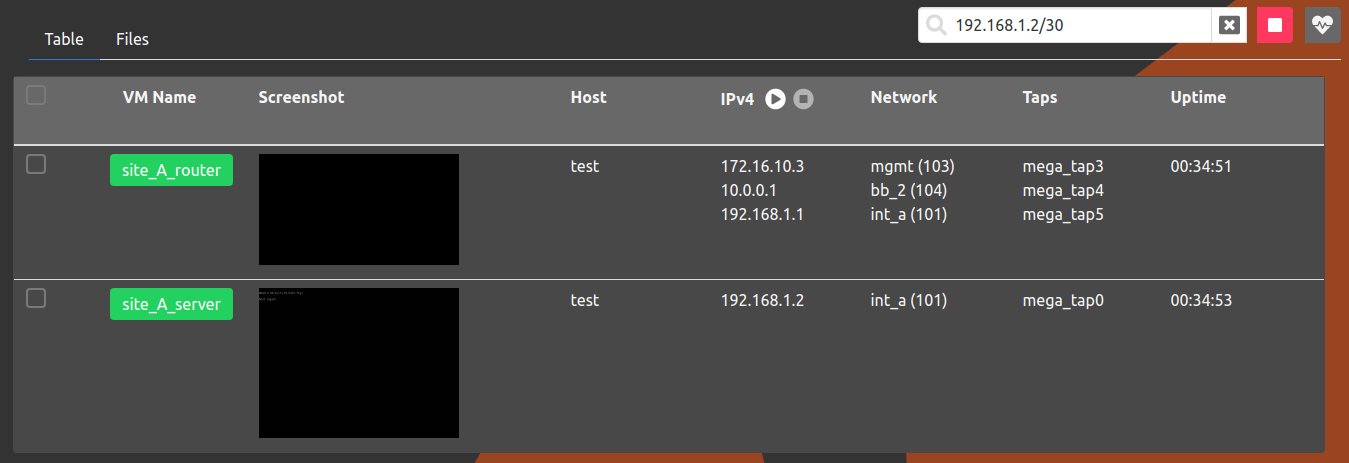
When a valid ipv4 subnet is entered, the play button adjacent to the IPv4 label will be enabled.
To start capturing, press the play button.
Once there are valid captures, the stop button adjacent to the play button will be enabled.
To stop all the captures, press the stop button.
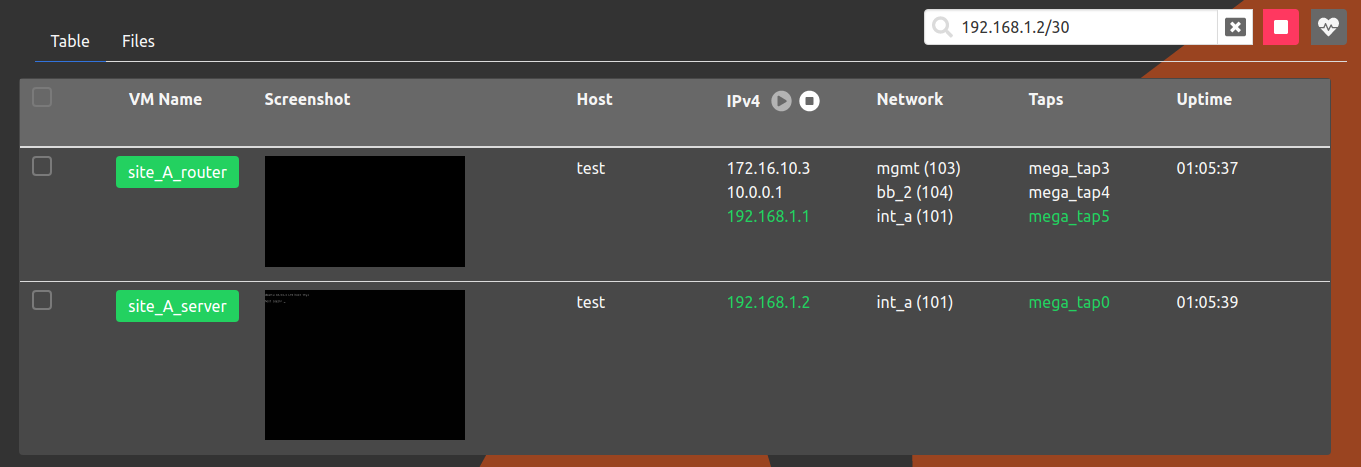
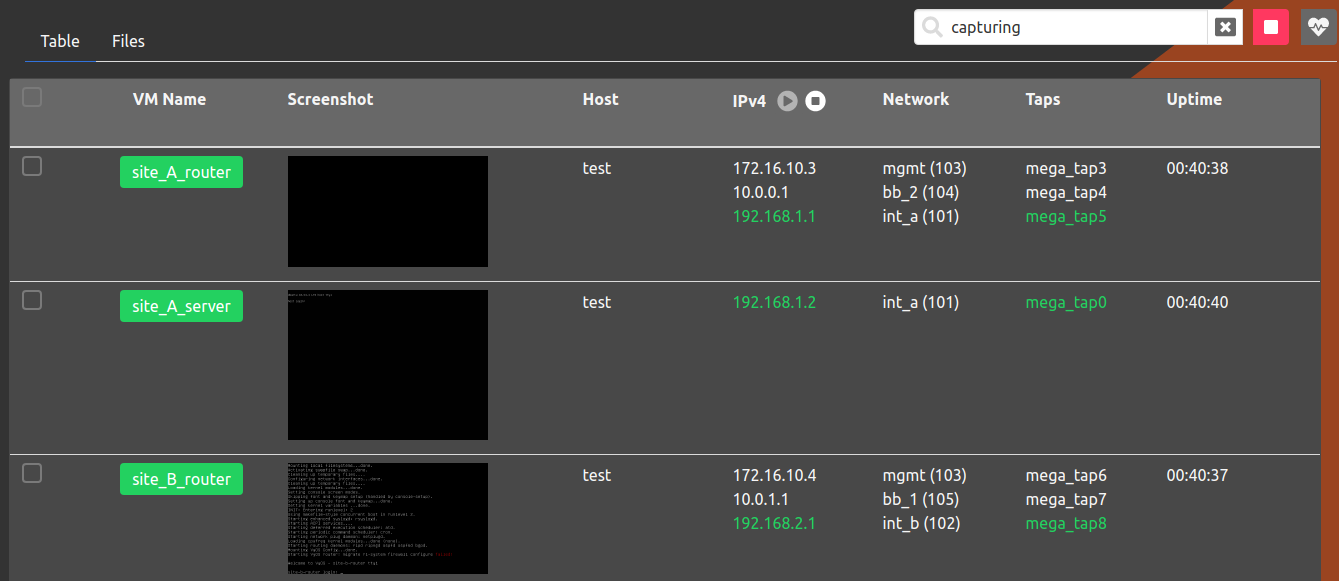
To stop all packet captures for all subnets, the term capturing can be entered in the search bar
to find all the VMs with active packet captures.
From the Command Line Binary
To start packet captures on running VMs for a specific subnet, use the following command.
To stop all packet captures for a specific subnet, use the following command.
To stop all packet captures for an experiment, use the following command.
Stopped Experiment Component
Similar to the Running Experiment component, multiple VMs can be selected for the Stopped Experiment component. In addition, VMs in the Stopped Experiment component can be searched by:
-
state - The keyword
dnbcan be used to find all VMs with thedo not bootflag set totrue. Also, thenotkeyword can be used to negate search term(s) (i.e.not dnb) -
ipv4 address - VMs in a specific subnet can be found by entering the subnet (i.e
192.168.2.0/30) -
other fields (i.e. VM, host, disk)
-
combine search terms - Search terms can be combined by using
or andkeywords. Parenthesis can also be used to group search terms. -
escape keywords - To find keywords that appear in a VM name use double quotes. For example, to find a VM named
dnb_me, type"dnb".